

Kamili One Settings gives you complete control over your workspace configuration, notification routing, and account security.
Overview of Settings
Access all preferences from a unified settings navigation center.
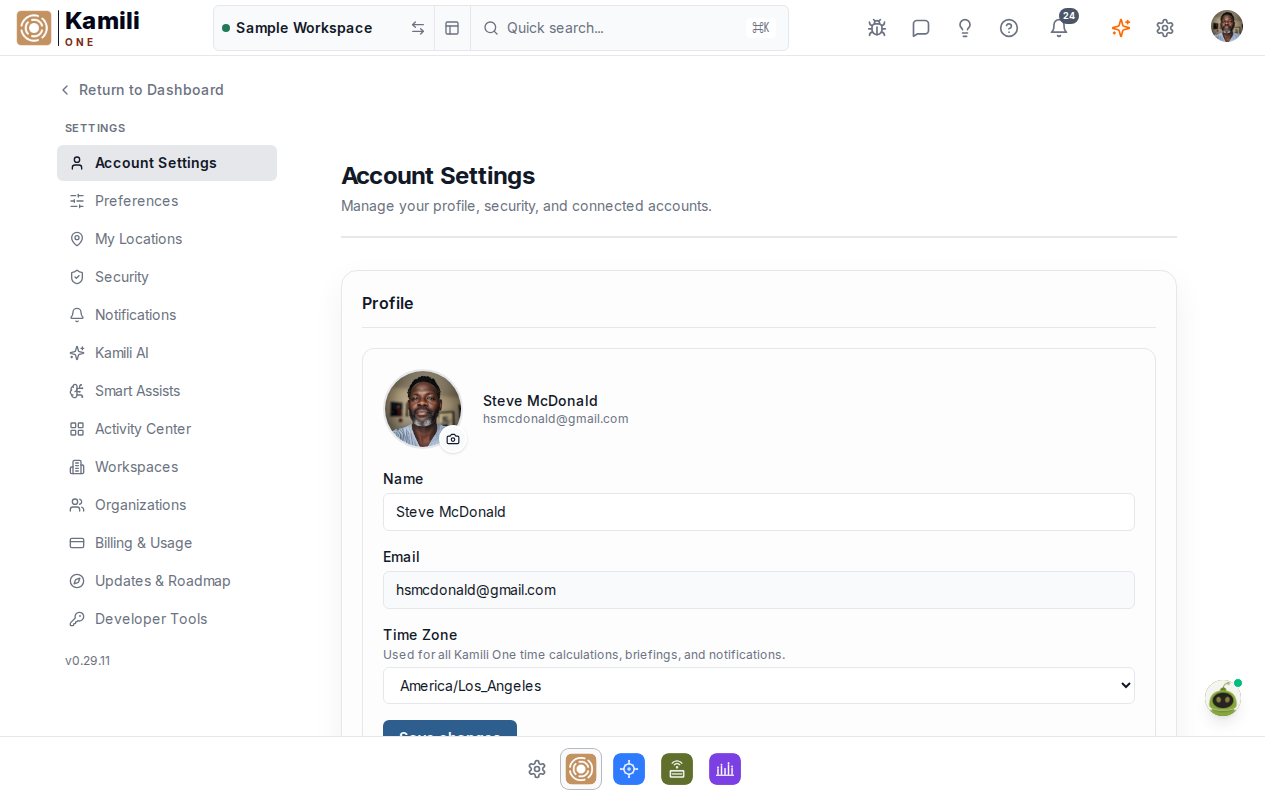
Settings sections:
- General — workspace name, time zone, date formatting, and language preferences.
- Notifications — email, web push, and voice alert preferences.
- Workspaces — workspace creation, member list, and role assignments.
- Billing — subscription tier, payment methods, and invoice history.
- Security — password, two-factor authentication, and active sessions.
Notification Preferences
Fine-tune how and when you receive alerts from Kamili One apps.
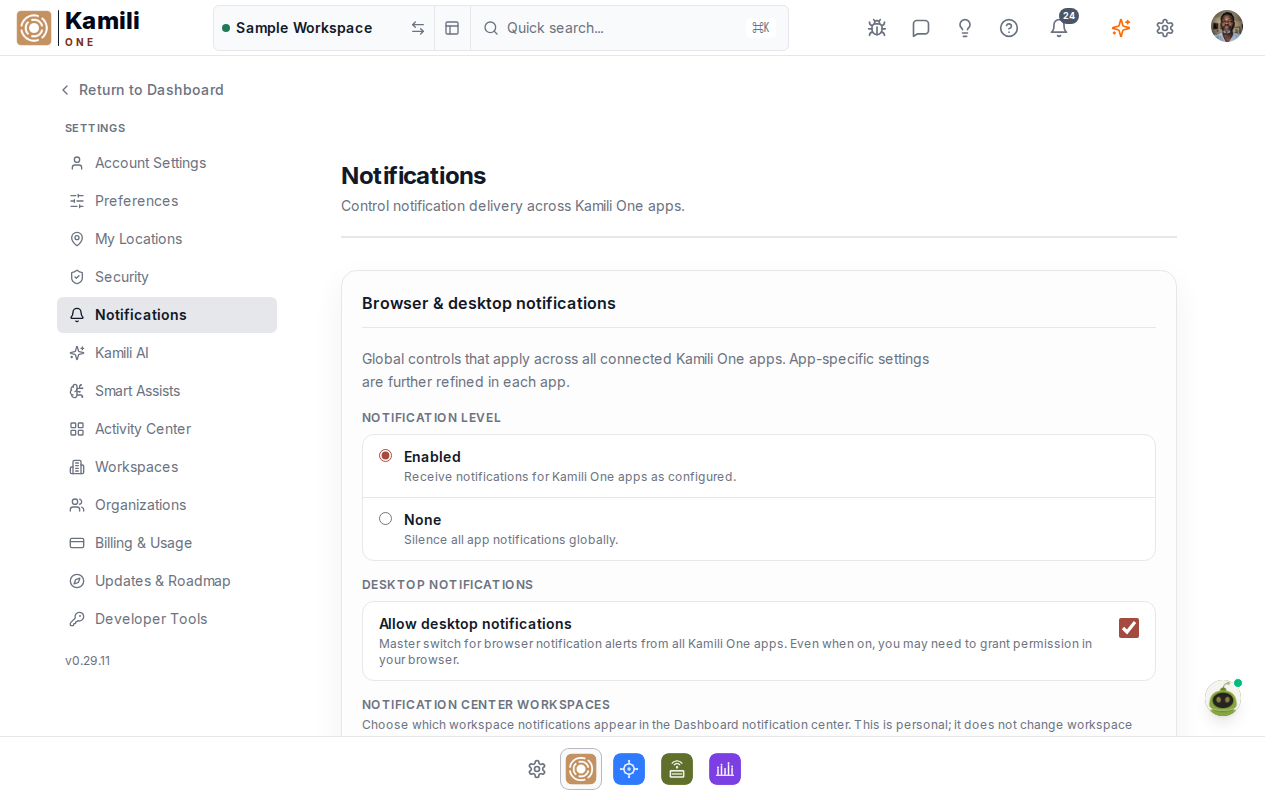
To configure notifications:
- Global state — choose Enabled to receive notifications, or None to silence all alerts.
- App toggles — individually enable or disable alerts for Reminders, Chat, Mail, Tasks, and Calendar.
- Voice alerts — configure voice synthesis tones (Dawn, Dusk, Breeze) and voice persona for audio briefings.
Workspace Management and Members
Switch between workspaces or manage team member access.
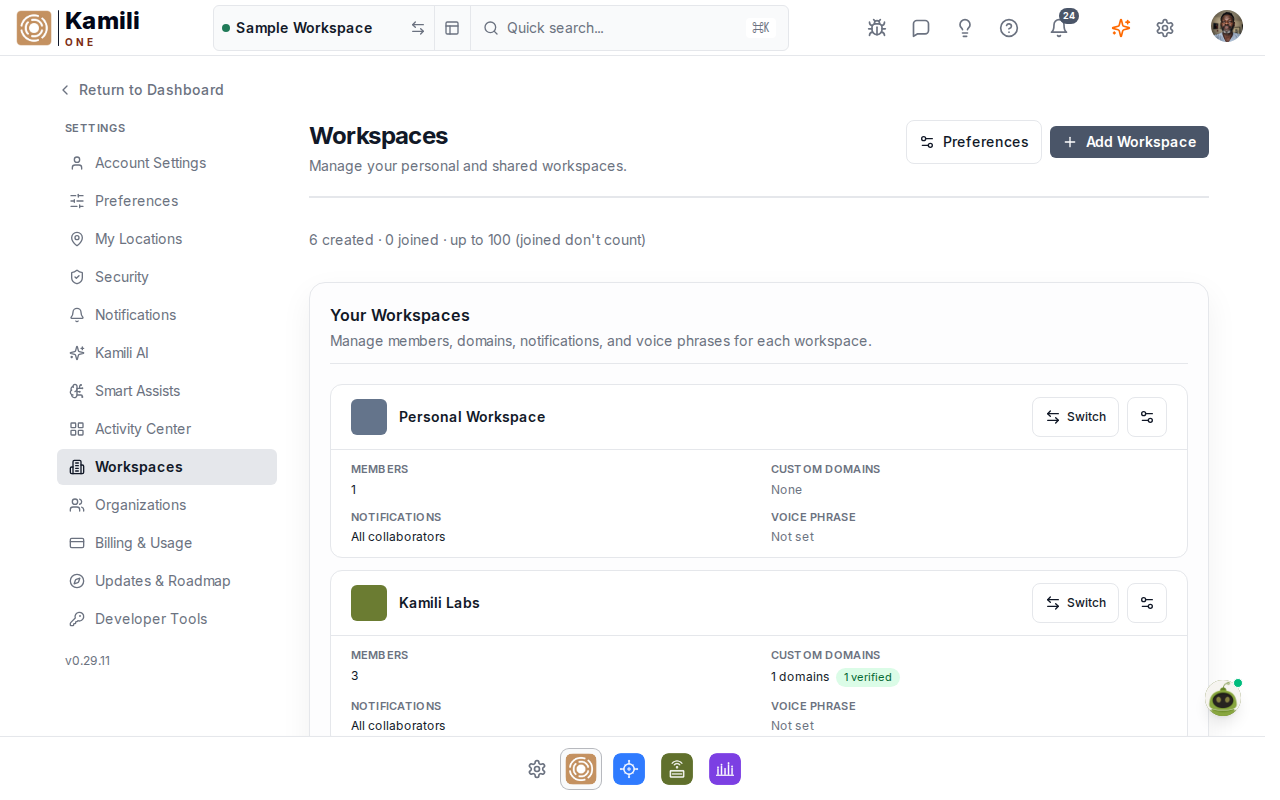
- Switch workspace — click any workspace in the list to switch your active context.
- Invite members — invite collaborators by email and assign Owner, Admin, or Member roles.
- Create workspace — paid plans support creating additional dedicated workspaces.